
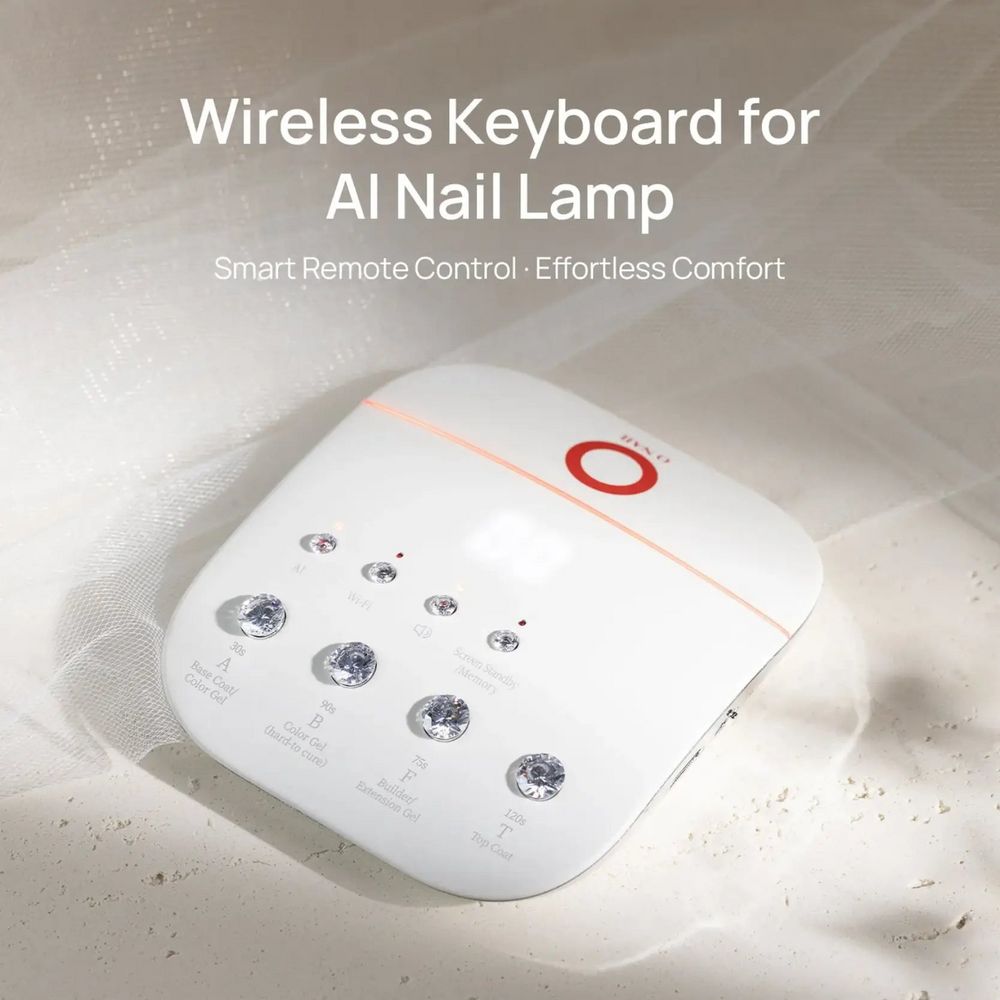
Small accessories can change how a manicure flows. The ONAIL wireless keypad is a compact remote designed to put AI nail lamp functions within arm’s reach of your workstation, cutting down on time spent leaning over the table or reaching across a client.
If you want the product page and compatibility notes, see this wireless keypad for details and ordering information.
What this keypad actually controls
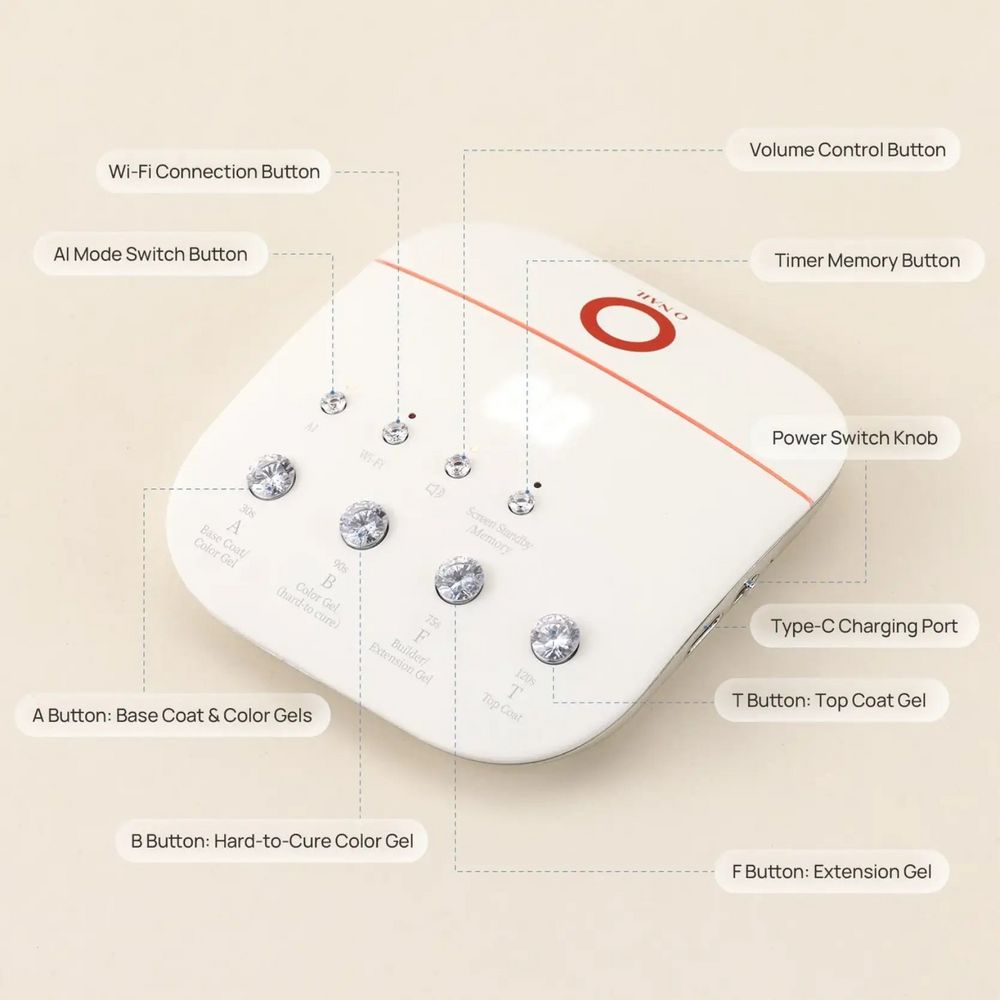
This handheld controller gives you remote access to a compatible ONAIL AI nail lamp’s timing and mode settings so you can switch between AI and manual curing, choose countdown timers, and rely on memory presets to repeat a preferred sequence. It is intended to simplify setup and reduce interruptions during a service.
Design, size and ergonomics
The keypad is compact and lightweight, measuring 85 × 94 × 21 mm and weighing about 93 g. Its size makes it simple to slip into a drawer, rest on a table, or move between stations in a multi-seat salon. The single-color option listed is white, and the exterior follows a minimalist layout so it occupies little visual space on a busy manicure table.
Power, charging and basic specs
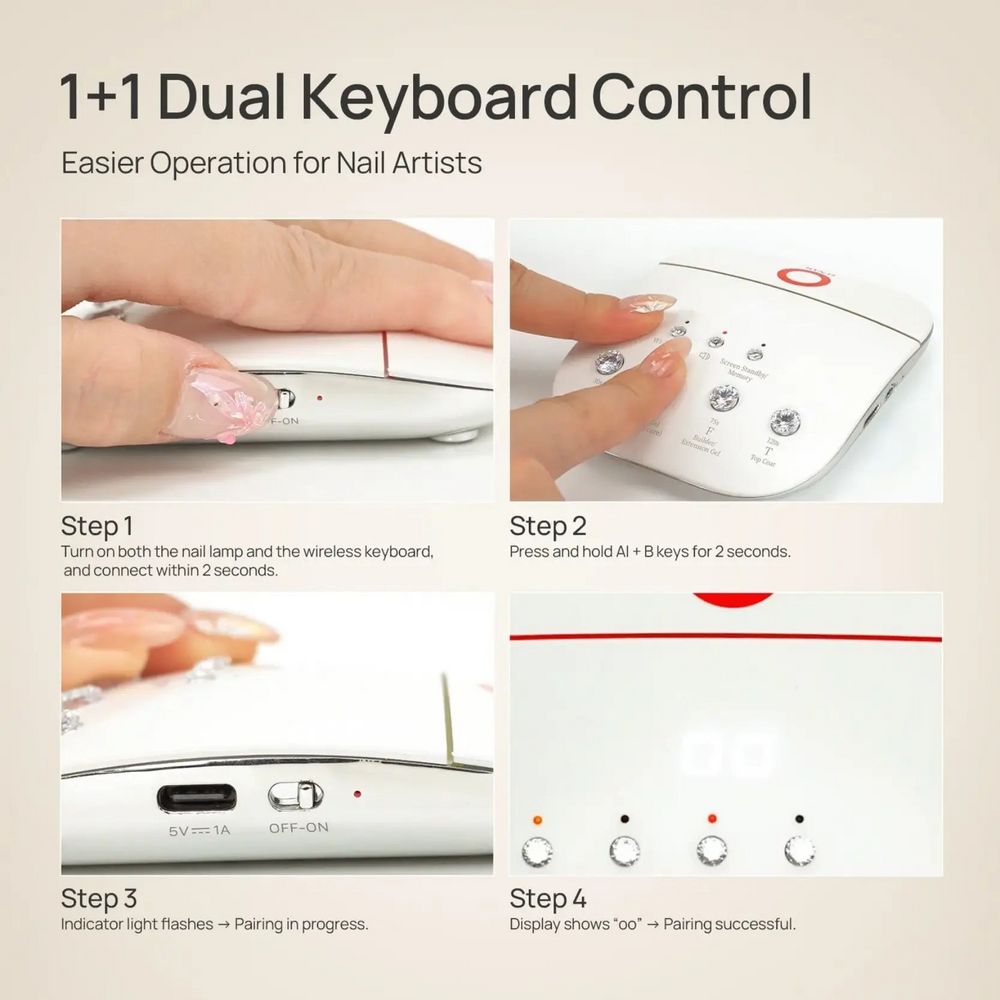
Power comes from an internal 3.7 V / 1,000 mAh rechargeable cell. When you need to top up, the unit uses a USB Type-C port and accepts a 5 V ⎓ 1 A rated input for charging. Operating conditions are broad—the keypad is specified for use between −10°C and +40°C with operating humidity from 10% to 90% RH—so it can work in most salon environments. Storage ranges are also generous: −20°C to +60°C and 5%–95% RH.
Controls, pairing process and user flow
The keypad includes dedicated buttons for mode toggles and timers, plus a smart memory feature to store preferred settings for repeatable workflows. Pairing with a compatible lamp is described in the supplied manual; the basic flow is to put the keypad into pairing mode, then power on the lamp while the keypad indicator is active so the lamp can detect it. The display shows confirmation when pairing succeeds. If connection fails, restarting both devices and attempting the sequence again is the recommended remedy.
Notes on multi-keyboard control
The manual does not clearly confirm whether two separate wireless keypads can control one lamp concurrently. If your setup depends on shared control between stations, verify this limitation before purchase.
Included items and what’s not in the box
The package lists the ONAIL Wireless Keyboard and a user manual. A charging cable or adapter is not included according to the manufacturer’s packing list, and the nail lamp is sold separately. Factor in a spare USB-C cable or a suitable charger if you plan to keep the keypad topped up between long shifts.
Practical salon use tips
- Place it where you reach naturally: Keep the keypad on the near side of your work surface so you can change modes without leaning over a client.
- Use memory presets: Store commonly used timer/mode combinations for acrylic, gel or soak-off services to speed turnarounds.
- Manage battery health: Recharge periodically during storage and avoid leaving the battery depleted for extended periods.
- Plan for no cable in-box: Bring a Type-C cable and a USB power source to charge the keypad from the start.
Care, cleaning and safety pointers
Follow the manual’s guidance: switch the keypad off before cleaning, keep it dry, and avoid letting liquids or debris enter the housing. Use a neutral detergent on the exterior and do not apply gel polish remover, acidic cleaners, or other solvents to the device. Store the keypad within the stated temperature and humidity ranges when not in use.
Who should consider this accessory?
This keypad is aimed at nail technicians and salons that already use a compatible ONAIL AI nail lamp and want a quicker, cleaner workflow. It’s especially useful for technicians who rotate between clients or move a lamp between stations: the small footprint and light weight make it easy to carry. If you need centralized control for multiple lamps or simultaneous multi-user control, confirm compatibility details first.
The keypad is listed at $30.00; check current pricing as it may change. For availability and compatibility details, the product listing provides the official manual and specs.
Conclusion
As a feature-focused accessory, the ONAIL wireless nail lamp keypad concentrates on convenience: remote access to timers and modes, rechargeable USB-C power, and a memory function for repeatable results. It’s a practical addition for salons using compatible ONAIL AI lamps, provided you account for the missing charging cable and confirm any multi-keyboard requirements ahead of purchase. Available through Dynamic Nail Supply, the keypad is a compact way to streamline lamp control at the manicure table.